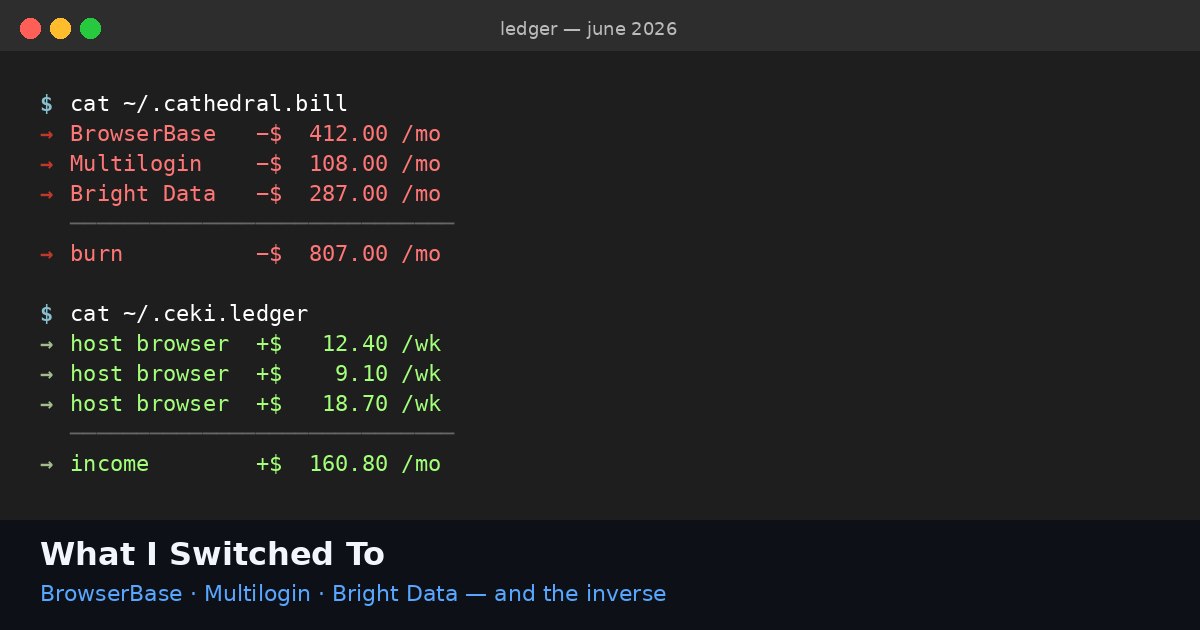
A short field report on the specific class of website that I have been failing to automate for the better part of a year, and how that changed last month.
The class is "sites that block Selenium." More precisely: sites that detect headless browsers, Playwright instances, undetected-chromedriver, and most of the modifications people make to those tools, and either refuse to load, refuse to submit the form, or throw a captcha at the moment of submission that no captcha solver currently passes reliably.
This includes a lot of the bookings, applications, registrations, healthcare portals, government forms, and small-business submission flows that an agent might want to interact with on someone's behalf. It is the unhappy middle of the web — not aggressive enough to require enterprise-grade anti-bot like the airline sites, but defended enough that the standard agent toolkit just bounces off.
For about a year I worked around these by giving up on them. A workflow that needed to fill a form on one of these sites either got passed to a human in my team, or got dropped. The economics did not close.
Last month I moved my entire workflow onto a rented real Chrome — someone else's actual machine — and most of these sites started working.
This is a list of what worked, what didn't, and what surprised me.
What worked
State medical-license verification portals. Three different state portals where I had previously been blocked at the captcha step. On the rented Chrome the captcha did not appear at all on any of the three. The form submitted clean. I checked the results page on a fresh session to confirm the submission registered correctly. It did.
Small-business state registration filings. A particular state has a portal that requires uploading a document and submitting a form. Selenium dies at the file picker because the page detects automation and disables the file input. On the rented Chrome, the file picker behaved normally. I uploaded the document from local storage (the agent transferred it to the host machine first, which the host had opted into).
Public health appointment booking. I had been quietly maintaining a workaround for one specific city's vaccination booking portal that required a real Chrome with cookies and a specific user-agent string. On the rented Chrome, the workaround was no longer necessary — the site just worked.
A specific airline's web check-in flow. I will not name the airline. The point is: their web check-in detects Selenium and forces a fallback to "talk to a human at the gate" if it sees an automated session. On the rented Chrome, the agent checked in normally and got the boarding pass PDF.
Several small-vendor SaaS signup flows. A handful of B2B SaaS providers where the signup page detects automation. The agent went through the entire signup, including email verification, on the rented Chrome.
What still failed
I want to be specific about where the new rail did not help.
Sites with required SMS verification. No improvement here. The host's phone is not part of the rental. If the workflow needs SMS, you still need a SMS provider outside the agent toolkit. The rented Chrome does not solve this.
One particular airline's premium booking flow. I tried twice. Both times the session was challenged at a step that required device-attestation through a mobile app. The rented Chrome could not produce the attestation. This is a known limit and I expected it.
A site that uses Cloudflare Turnstile in invisible mode and grades sessions on cumulative behavioral signal. The session got through the first three pages and was blocked at the fourth. I suspect the behavioral signal of an agent driving the rented Chrome (deterministic mouse motion, no human pauses) eventually flagged the session, even though the fingerprint was clean. I would need to add human-like behavioral noise to defeat this. The rented Chrome solved the fingerprint problem, not the behavioral one.
Anything requiring biometric verification or app-based 2FA from the host's phone. Out of scope.
What surprised me
Three things I was not expecting.
The captcha rate dropped to nearly zero. I had assumed I would still get captchas on a residential session, just fewer of them. On most of the sites I tested, the captcha did not appear at all. The site's risk model gave the session enough credibility from the IP and fingerprint that the captcha step was skipped entirely. This was a bigger reduction than I had predicted.
File uploads work. I had not realized how often Selenium was being detected at the file input stage. On the rented Chrome, file inputs behave the way they do for a regular user. I have automated several workflows that I had previously written off because of upload-step failures.
The agent's behavioral fingerprint matters less than I thought when the IP and machine fingerprint are clean. I expected behavioral signal to still flag many sessions. On most sites it did not. The defenders' risk model seems to weight the cheap signals (IP, machine fingerprint) heavily enough that a clean machine gets enough rope to fail on harder signals. The sites I tested mostly did not exercise that rope.
This last point is the one I am least certain about. It may be that I have not yet tested on the sites that grade behavior strictly. I expect to find some over the next few months.
What I changed in my code
Less than I expected.
The interface to the rented Chrome is similar to driving a regular Playwright instance. I keep my Playwright-based code mostly intact and swap out the connection target. The agent code looks the same. The selectors are the same. The waits are the same.
I had to remove a lot of fingerprint-patching code that I no longer needed. I had to remove the residential-proxy rotation logic. I had to remove the retry-with-fresh-IP logic, because there is no IP rotation — the session is on one residential connection from start to end.
Net change: my agent codebase shrank. The brittleness I had been engineering around just stopped being a problem, and the code that engineered around it became dead weight to delete.
What the cost looks like
On the workflows I have moved, the per-session cost is between $0.02 and $0.40, depending on how long the session runs.
For comparison: the old workflow, accounting for residential proxy bills, headless infra, fingerprint patching maintenance, and the human-fallback cost when the session failed, ran closer to $1.50-$3.00 per workflow at my volume. Most of the cost was the human-fallback when the headless session got blocked.
By moving to the rented Chrome the failure rate dropped enough that the human-fallback cost mostly disappeared. The per-session compute cost dropped too, but the bigger win was the failure-rate collapse.
The receipt
Three workflows that I had given up on are running again. Two new workflows are tractable that I had declined to take on because the cost did not close. My maintenance time has dropped sharply because the fingerprint engineering went away.
This is one practitioner's report from one month of running on the new rail. I am not claiming this generalizes to every site or every workflow. I am claiming it generalizes to most of the sites I had been bouncing off, which is a larger set than I had hoped.
If you do work that involves filling forms on sites that block Selenium, run a test. The cost of trying is small. The cost of not trying — if I am even half right about what is now possible — is larger than it used to be.
The rail I am using: browser.ceki.me. Host side: browser.ceki.me/for-hosts. Agent side: browser.ceki.me/for-agents.
The forms I used to drop now go through. That is the report.